Determining ProMass Version and ProMass Key ID
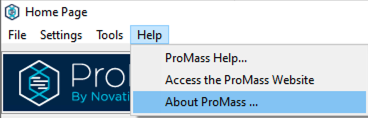
You can determine the version of ProMass you are currently using by opening up the ProMass software and navigating to “About ProMass…” under the “Help” section of the Menu bar as shown below.
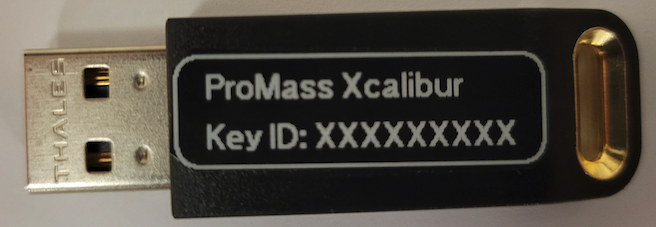
To confirm your ProMass Key ID you can check the printed label on the ProMass USB dongle.
If the label was removed or damaged, you can also determine the Key ID by using the RUS utility (Rus.exe) while the ProMass USB dongle is plugged into the system. The RUS utility can be found on your PC from the ProMass installation in the folder C:\Program Files\ProMassXcali. If you do not have the RUS utility you can also download it from the following link: https://data.enovatia.com/RUS_OYIGW.exe
When prompted, enter the following credentials (all lower case):
Username: promass
Password: download
Launch the RUS utility (Rus.exe), collect information, and save the c2v file. You can then open the c2v file with notepad to retrieve the ProMass Key ID which will be listed as the <hasp id=”XXXXXXXXX”>.
If you encounter issues with determining your ProMass version or Key ID information please contact us at promass_support@enovatia.com.